3D ContoursSTL to contour line art for plot & print
Upload any STL and generate layered contour lines. Export SVG for plotters, printing and templates — perfect for 3D-to-2D art.
Popular uses: pen plotter drawings • printable templates • contour posters • 3D-to-2D line art
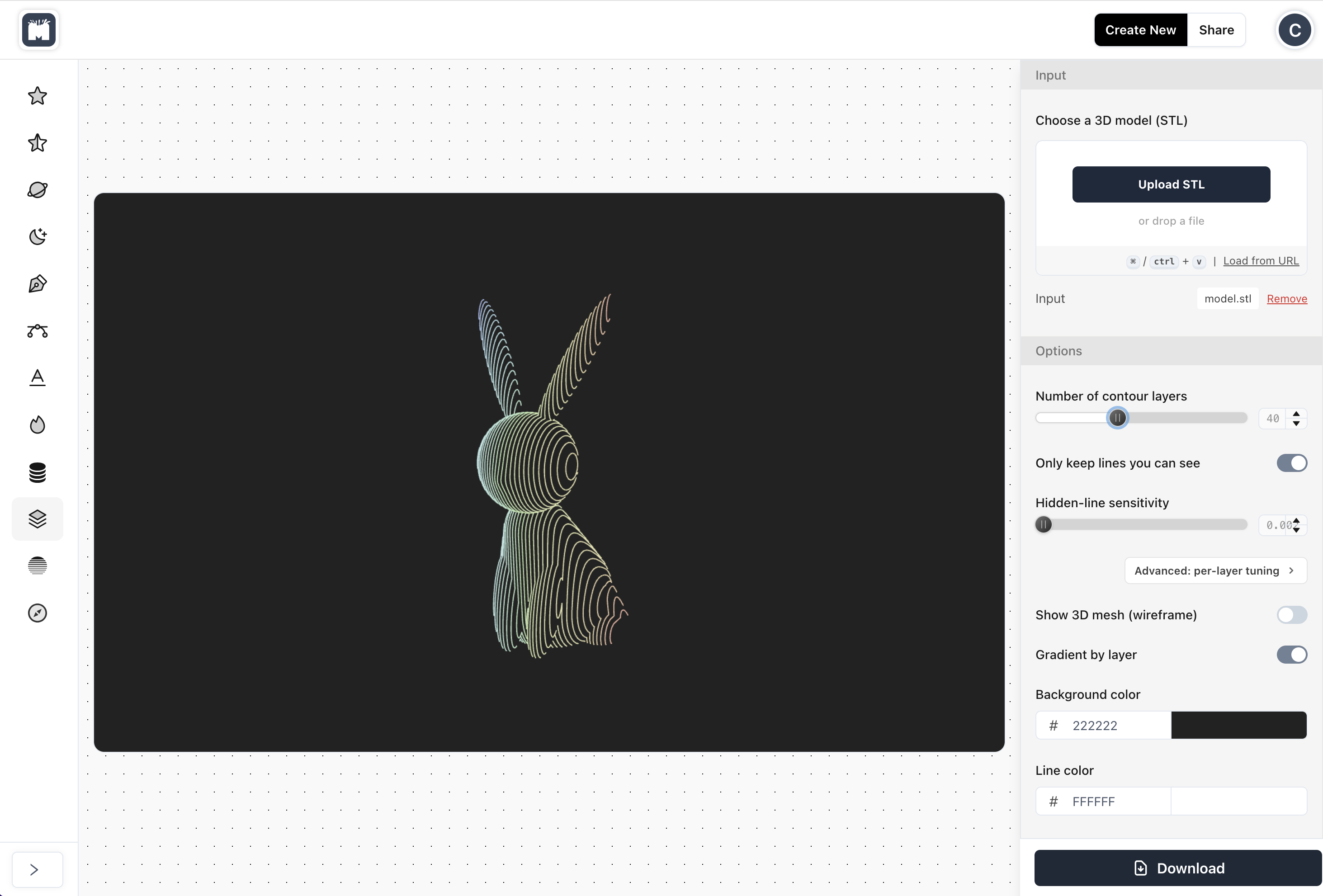
Contour line art made easy.
Upload an STL, preview contours, tune the look, and export SVG for plotting, printing, and art.
Turn any STL into layered contour art
- Upload an STL and instantly generate clean contour line art across multiple “slice” levels — great for maker projects and wall art.
Export SVG + PNG (plot & print)
- Download vector SVG layers for plotters/cutters, and export PNG for printing, posters, and quick sharing.
Plotter-ready drawings
- Create pen-plotter friendly line art from 3D models: bold or subtle contours, beautiful as single-line or layered sets.
Preview contours on the 3D model
- See the contours in context: rotate, zoom, and validate the aesthetic before exporting.
Control levels & look
- Choose how many contour levels to generate, and tune settings for smooth continuous lines and consistent results.
Visible-only mode (camera-aware)
- Optionally keep only the lines visible from your current view — perfect for clean poster-style outlines and minimal plotter art.
What is 3D Contours?
3D Contours is an online tool that converts a 3D model (STL) into layered contour line art. It’s perfect for plotter drawings, printable templates, and unique 3D-to-2D artwork.
Choose the number of contour levels, optionally keep only visible lines from your current viewpoint, and export as SVG.
How to turn an STL into contour line art
3D Contours slices your STL into multiple levels and extracts the contour lines at each slice. Preview the result on the model and export layers for your plot and print workflow.
1) Upload an STL
Choose any STL model such as sculptures, logos, terrain, characters, decorative shapes, or functional parts.
2) Choose the contour style
Set the number of contour levels for minimal or detailed output. Optionally use visible-only mode for clean poster-style line art.
3) Export SVG or PNG
Download contour layers for plotting, printing, templates, and sharing in vector or raster format.
What can you make with 3D Contours?
Pen Plotter Line Art
Turn 3D models into plotter-ready contour drawings. Choose bold “fat” lines or thin lines, and create minimal or detailed illustrations.
- Plotter-friendly contours from STL
- Visible-only mode for clean silhouettes
- Perfect for posters, cards, and prints
Printable Contour Posters
Export the SVG to print your contours as wall art, templates, or stencil guides — ideal for crafts and mixed media.
- Vector format (SVG) export
- Great for posters and templates
- Easy to share or reprint
Experienced and trusted.
Make & Pop is used by leading creators, designers, DIYers, artists and crafters worldwide.
150,000+
Artwoks delivered
400+
Clients trusting us
135+
Countries reached
FAQ
Frequently asked questions
What does 3D Contours do?
3D Contours converts a 3D STL model into layered contour line art. You can export the result as SVG layers (vector) and PNG (raster) for plotting with a pen plotter, printing, templates, and creative 3D-to-2D artwork.
What is a “contour level”?
A contour level is a slice height through your model. The app extracts the outline(s) where the model intersects each slice plane, producing layered lines.
Can I control how many layers I get?
Yes. You choose the number of contour levels. More levels create more detail; fewer levels create a cleaner, bolder style.
What is “visible-only” mode?
Visible-only mode keeps only the contour segments visible from your current camera view. This is helpful for clean silhouette-like drawings and minimal poster-style plotter art.
What file formats do I get?
You can export SVG files (typically one per layer) and PNG exports for printing/sharing. (Exact exports depend on the options enabled in the app.)
Does it work with pen plotters (Cricut, Silhouette, AxiDraw, etc.)?
Yes. It produces line-based contours that are well-suited to pen plotters. You can export vector layers for plotting.
What kind of STL models work best?
Most STLs work. Models with strong shape changes and clear silhouettes tend to produce the most striking contour art. Very dense/noisy meshes may benefit from fewer levels.
Is 3D Contours free?
Yes — 3D Contours is free to use.